A quick report tells every driver nearby whether this station has CNG right now. It takes about ten seconds.
Before you start
Allow location access so GasView knows which station you are at.
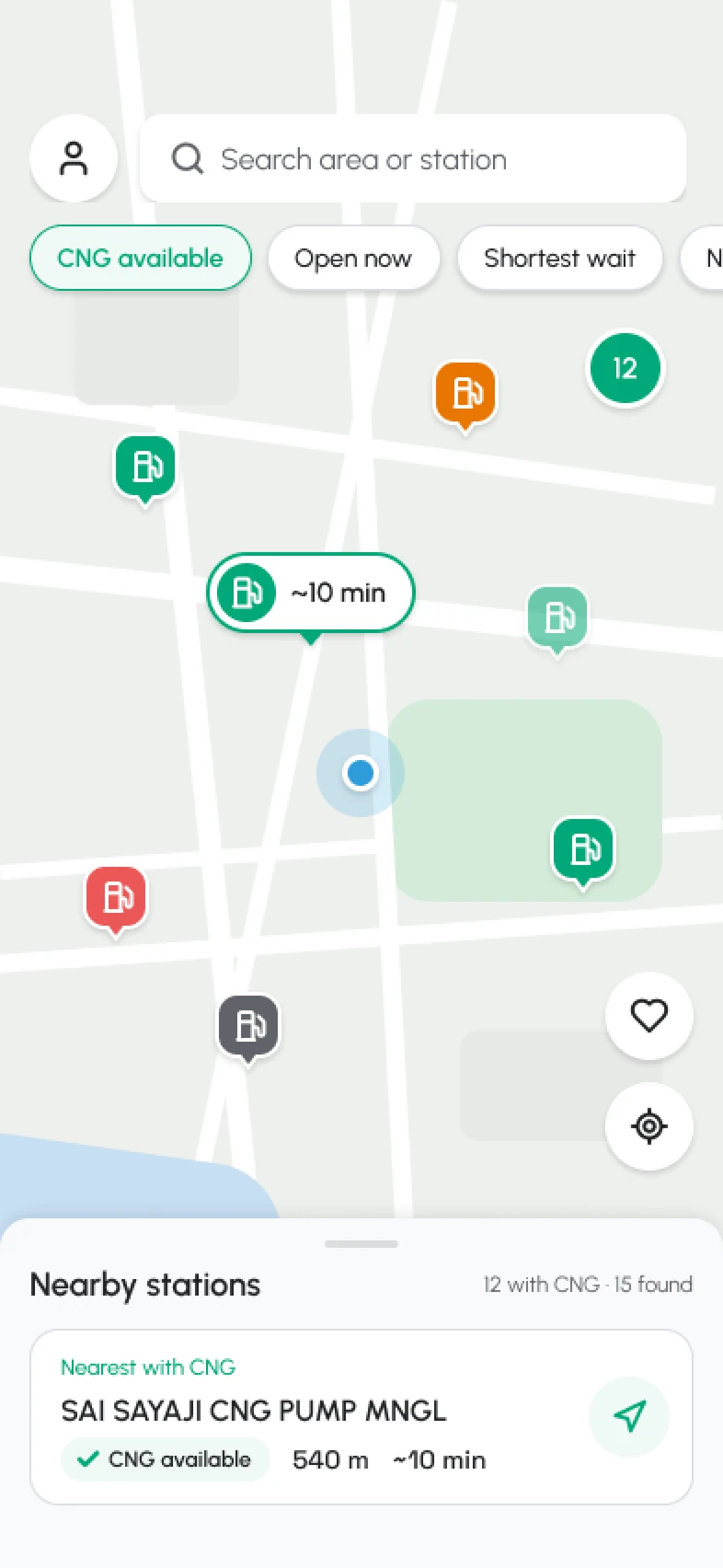
Open the station
Tap a pin on the map or a station in the list to open its page.
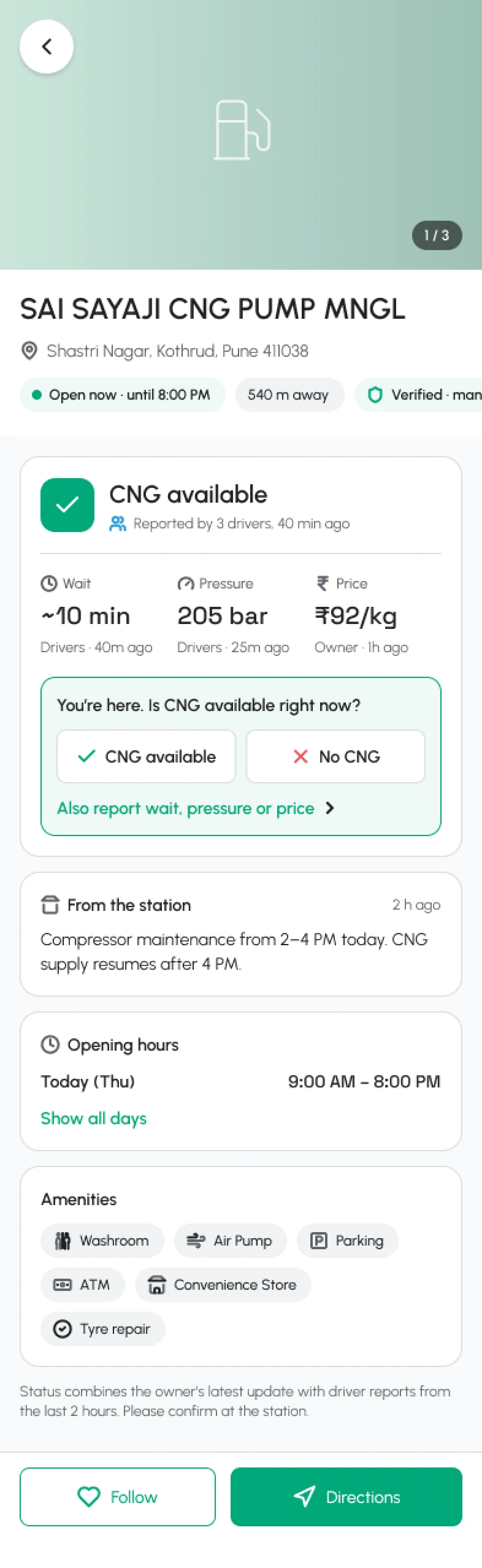
Tap “Report”
You need to be within 1 km of the station. GasView checks your location, not your address.
Too far away?
Reports from more than 1 km away are not accepted. Get closer and try again.
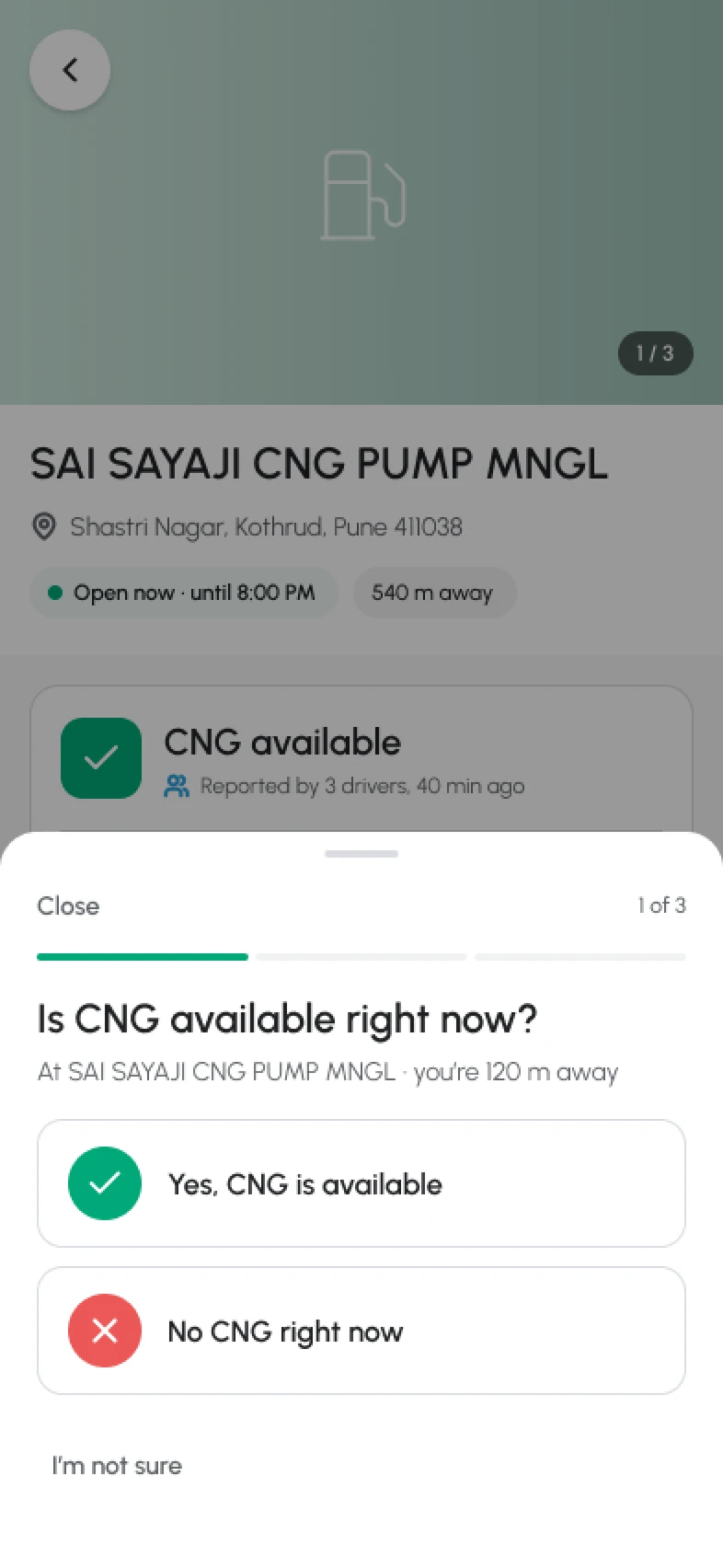
Answer one question at a time
Is CNG available? Then, if you like, the wait and pressure. Each answer helps the next driver.
What happens next
Your report shows on the map straight away. Station staff can confirm or correct it.